

WEBGEN-4B-Preview GGUF Models
Model Generation Details
This model was generated using llama.cpp at commit fb15d649.
Quantization Beyond the IMatrix
I've been experimenting with a new quantization approach that selectively elevates the precision of key layers beyond what the default IMatrix configuration provides.
In my testing, standard IMatrix quantization underperforms at lower bit depths, especially with Mixture of Experts (MoE) models. To address this, I'm using the --tensor-type option in llama.cpp to manually "bump" important layers to higher precision. You can see the implementation here:
👉 Layer bumping with llama.cpp
While this does increase model file size, it significantly improves precision for a given quantization level.
I'd love your feedback—have you tried this? How does it perform for you?
Click here to get info on choosing the right GGUF model format
WEBGEN-4B-Preview
A 4B web-only generator that turns one prompt into clean, responsive HTML/CSS/Tailwind. Small enough for laptops; opinionated for consistent, modern layouts.


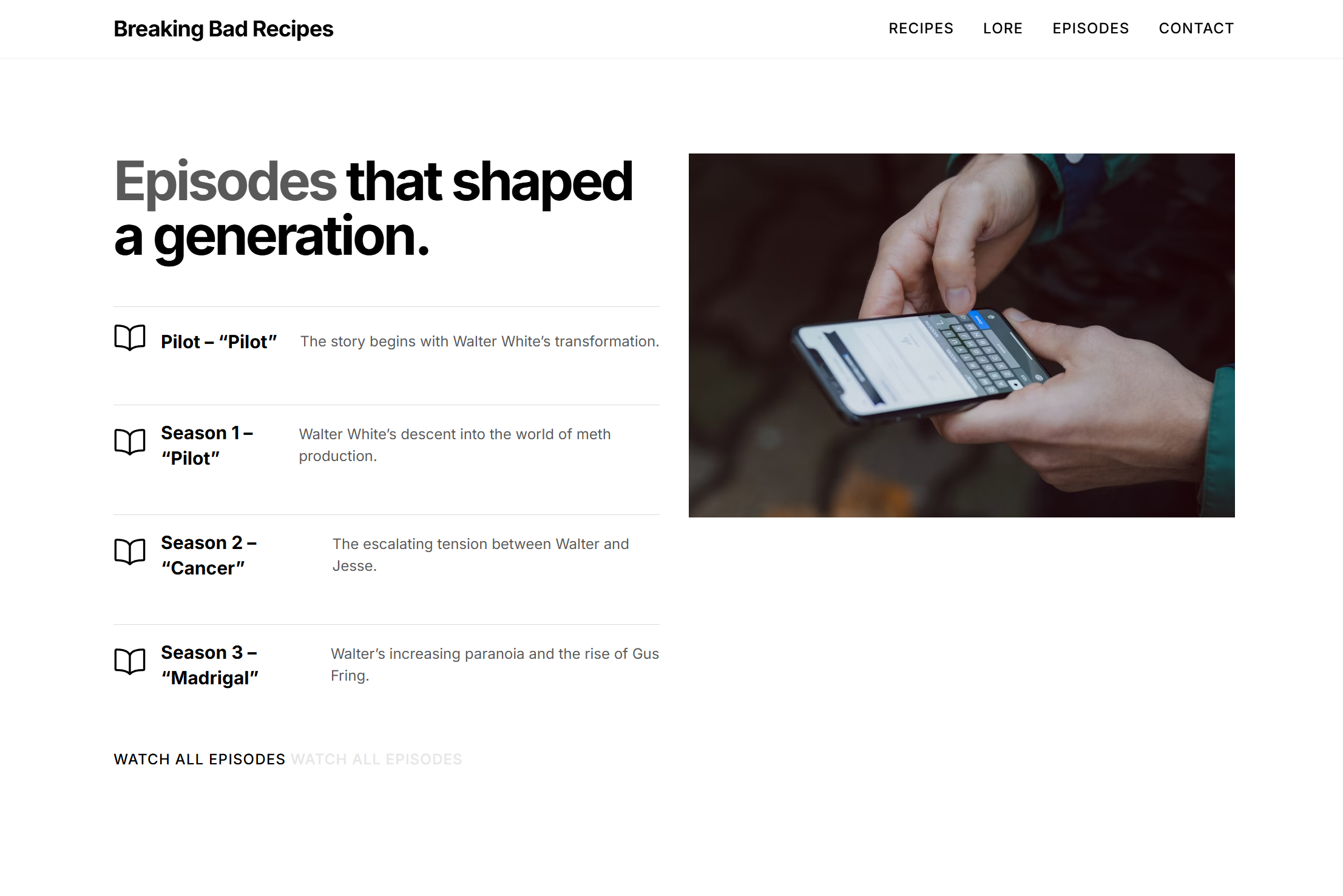
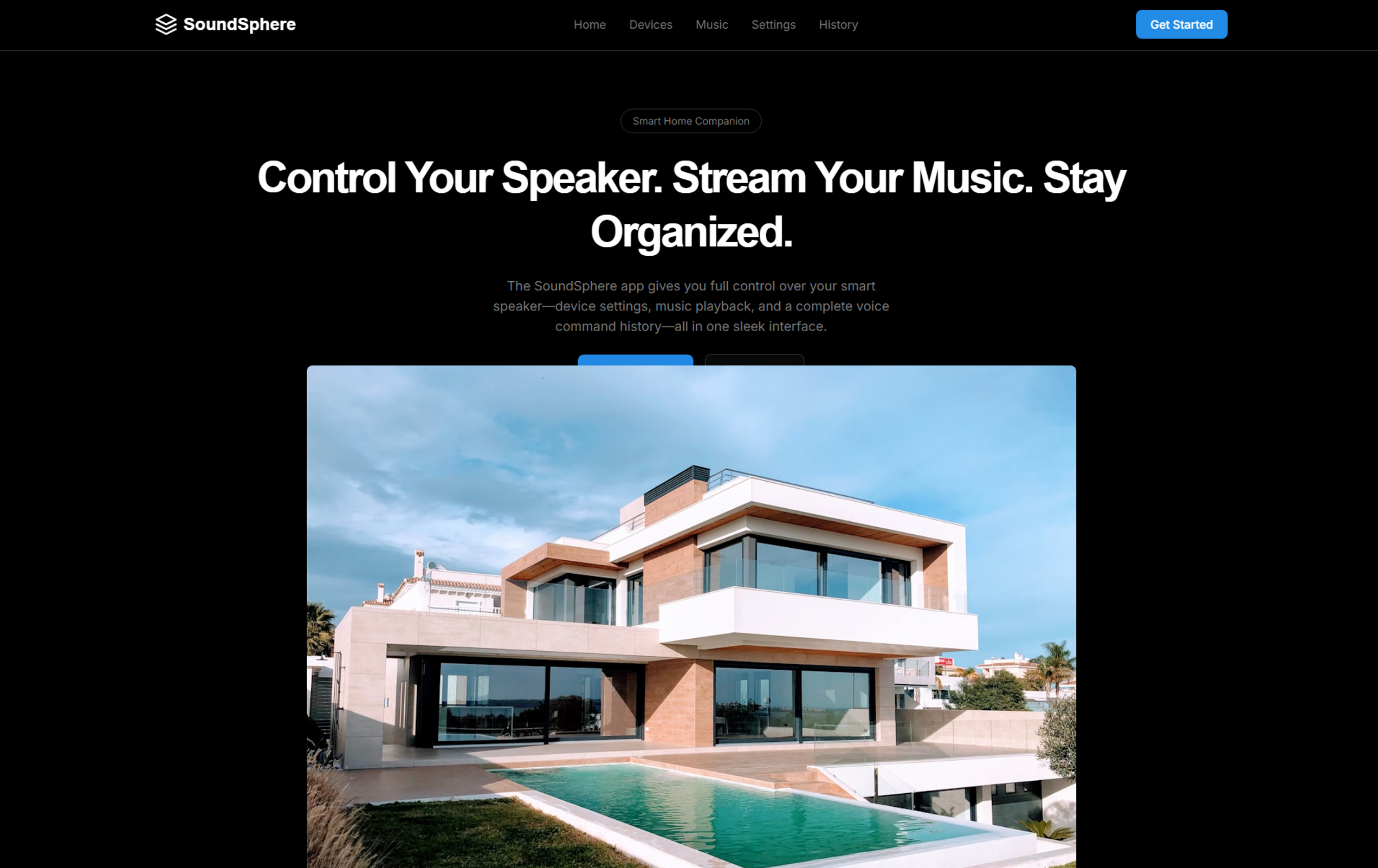


What it is
WEBGEN-4B-Preview focuses solely on generating production-lean websites. It prefers semantic HTML, sane spacing, and modern component blocks (hero, grids, pricing, FAQ).
Why 4B
Small enough for local runs and fast iteration, while retaining strong structure/consistency for HTML/CSS/Tailwind output.
Quickstart
Transformers
from transformers import AutoModelForCausalLM, AutoTokenizer import torchmodel_id = "Tesslate/WEBGEN-4B-Preview" tok = AutoTokenizer.from_pretrained(model_id) model = AutoModelForCausalLM.from_pretrained( model_id, torch_dtype=torch.bfloat16, device_map="auto" )
prompt = """Make a single-file landing page for 'LatticeDB'. Style: modern, generous whitespace, Tailwind, rounded-xl, soft gradients. Sections: navbar, hero (headline + 2 CTAs), features grid, pricing (3 tiers), FAQ accordion, footer. Constraints: semantic HTML, no external JS."""
inputs = tok(prompt, return_tensors="pt").to(model.device) out = model.generate(**inputs, max_new_tokens=2000, temperature=0.7, top_p=0.9) print(tok.decode(out[0], skip_special_tokens=True))
vLLM
vllm serve Tesslate/WEBGEN-4B-Preview \
  --host 0.0.0.0 --port 8000 \
  --max-model-len 65536 \
  --gpu-memory-utilization 0.92
sglang
python -m sglang.launch_server \
  --model-path Tesslate/WEBGEN-4B-Preview \
  --host 0.0.0.0 --port 5000 \
  --mem-fraction-static 0.94 \
  --attention-backend flashinfer \
  --served-model-name webgen-4b
Tip: Lower temperature (e.g.,
0.4–0.6) yields stricter, cleaner markup. Raise it for more visual variety.
Inference Settings (suggested)
| Param | Value | Notes |
|---|---|---|
temperature | 0.6 | Balance creativity & consistency (lower if quantized) |
top_p | 0.9 | Nucleus sampling |
top_k | 40 | Optional vocab restriction |
max_new_tokens | 1200–2500 | Single-file sites often fit < 1500 |
repetition_penalty | 1.1 | Reduces repetitive classes/markup |
Prompts that work well
Starter
Make a single-file landing page for "RasterFlow" (GPU video pipeline).
Style: modern tech, muted palette, Tailwind, rounded-xl, subtle gradients.
Sections: navbar, hero (big headline + 2 CTAs), logos row, features (3x cards),
code block (copyable), pricing (3 tiers), FAQ accordion, footer.
Constraints: semantic HTML, no external JS. Return ONLY the HTML code.
Design-strict
Use an 8pt spacing system. Palette: slate with indigo accents.
Typography scale: 14/16/18/24/36/56. Max width: 1200px.
Avoid shadows > md; prefer borders/dividers.
Quantization & VRAM (example)
| Format | Footprint | Notes |
|---|---|---|
| BF16 | 8.05 GB | Fastest, best fidelity |
| GGUF Q5_K_M | 2.89 GB | Great quality/size trade-off |
| GGUF Q4_K_M | 2.5 GB | Smallest comfortable for laptops |
Intended Use & Scope
- Primary: Generate complete, single-file websites (landing pages, marketing pages, simple docs) with semantic HTML and Tailwind classes.
- Secondary: Component blocks (hero, pricing, FAQ) for manual composition.
Limitations
- Accessibility: adds headings/labels but ARIA coverage may need review.
- JS widgets: kept light unless explicitly requested in prompt.
Ethical Considerations
- Curate prompts appropriately.
- When using third-party logos/assets, ensure you have rights or use open sources.
Training Summary (research preview)
- Base:
Qwen/Qwen3-4B-Instruct - Objective: Tight web-only bias; reward semantic structure, spacing rhythm, and responsiveness.
- Data: Mixture of curated HTML/CSS/Tailwind snippets, component libraries, and synthetic page specs.
- Recipe: SFT with format constraints → instruction tuning → style/rhythm preference optimization.
- Context: effective ~64k; trained to keep default outputs within practical page length.
Example Outputs
Community
- Examples: uigenoutput.tesslate.com
- Discord: discord.gg/EcCpcTv93U
- Website: tesslate.com
“Why are good design models so expensive” — Tesslate Team
Citation
@misc{tesslate_webgen_4b_preview_2025,
title   = {WEBGEN-4B-Preview: Design-first web generation with a 4B model},
author  = {Tesslate Team},
year    = {2025},
url     = {https://huggingface.co/Tesslate/WEBGEN-4B-Preview}
}
🚀 If you find these models useful
Help me test my AI-Powered Quantum Network Monitor Assistant with quantum-ready security checks:
The full Open Source Code for the Quantum Network Monitor Service available at my github repos ( repos with NetworkMonitor in the name) : Source Code Quantum Network Monitor. You will also find the code I use to quantize the models if you want to do it yourself GGUFModelBuilder
💬 How to test:
Choose an AI assistant type:
TurboLLM(GPT-4.1-mini)HugLLM(Hugginface Open-source models)TestLLM(Experimental CPU-only)
What I’m Testing
I’m pushing the limits of small open-source models for AI network monitoring, specifically:
- Function calling against live network services
- How small can a model go while still handling:
- Automated Nmap security scans
- Quantum-readiness checks
- Network Monitoring tasks
🟡 TestLLM – Current experimental model (llama.cpp on 2 CPU threads on huggingface docker space):
- ✅ Zero-configuration setup
- ⏳ 30s load time (slow inference but no API costs) . No token limited as the cost is low.
- 🔧 Help wanted! If you’re into edge-device AI, let’s collaborate!
Other Assistants
🟢 TurboLLM – Uses gpt-4.1-mini :
- **It performs very well but unfortunatly OpenAI charges per token. For this reason tokens usage is limited.
- Create custom cmd processors to run .net code on Quantum Network Monitor Agents
- Real-time network diagnostics and monitoring
- Security Audits
- Penetration testing (Nmap/Metasploit)
🔵 HugLLM – Latest Open-source models:
- 🌐 Runs on Hugging Face Inference API. Performs pretty well using the lastest models hosted on Novita.
💡 Example commands you could test:
"Give me info on my websites SSL certificate""Check if my server is using quantum safe encyption for communication""Run a comprehensive security audit on my server"- '"Create a cmd processor to .. (what ever you want)" Note you need to install a Quantum Network Monitor Agent to run the .net code on. This is a very flexible and powerful feature. Use with caution!
Final Word
I fund the servers used to create these model files, run the Quantum Network Monitor service, and pay for inference from Novita and OpenAI—all out of my own pocket. All the code behind the model creation and the Quantum Network Monitor project is open source. Feel free to use whatever you find helpful.
If you appreciate the work, please consider buying me a coffee ☕. Your support helps cover service costs and allows me to raise token limits for everyone.
I'm also open to job opportunities or sponsorship.
Thank you! 😊
- Downloads last month
- 151
Model tree for Mungert/WEBGEN-4B-Preview-GGUF
Base model
Qwen/Qwen3-4B-Instruct-2507