
Hub documentation
스트리밍 데이터셋
스트리밍 데이터셋
통합된 라이브러리
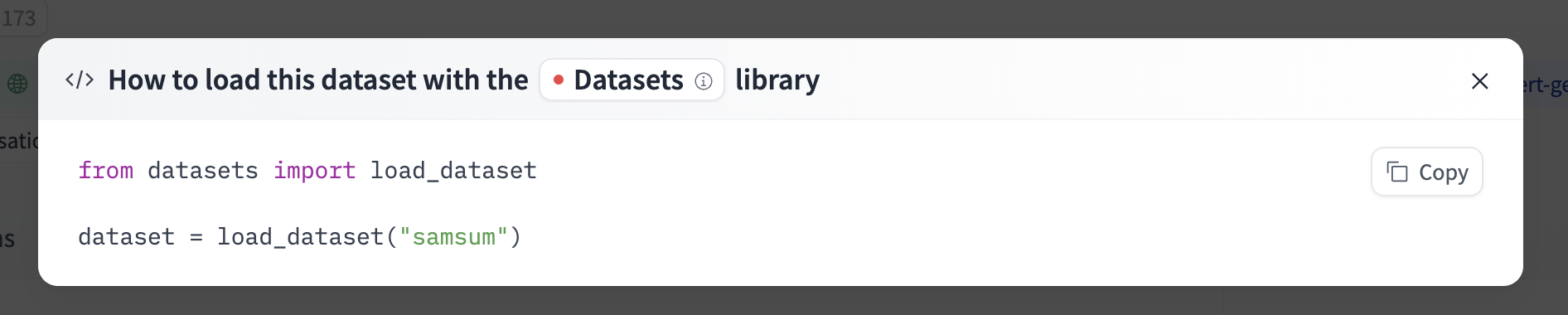
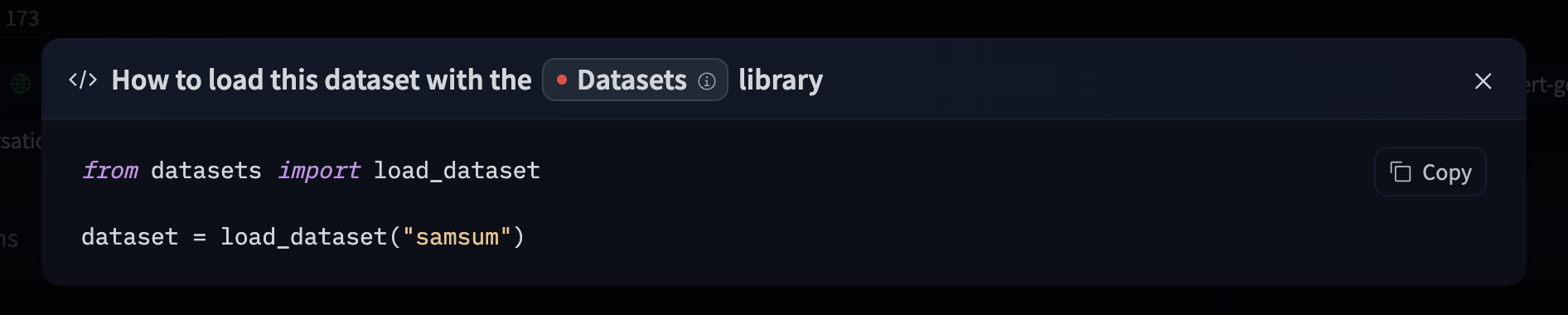
If a dataset on the Hub is compatible with a supported library that allows streaming from Hugging Face, streaming the dataset can be done in just a few lines. For information on accessing the dataset, you can click on the “Use this dataset” button on the dataset page to see how to do so. For example, knkarthick/samsum shows how to do so with datasets below.
Hugging Face 클라이언트 라이브러리 사용
huggingface_hub 라이브러리를 사용하여 저장소에서 파일을 생성, 삭제 및 액세스할 수 있습니다. 예를 들어, Python에서 allenai/c4 데이터셋을 스트리밍하려면 라이브러리를 설치하고(최신 버전을 사용하는 것을 권장합니다) 다음 코드를 실행하면 됩니다.
pip install -U huggingface_hub
from huggingface_hub import hffs

repo_id = "allenai/c4"
path_in_repo = "en/c4-train.00000-of-01024.json.gz"

# Stream the file
with hffs.open(f"datasets/{repo_id}/{path_in_repo}", "r", compression="gzip") as f:
    print(f.readline())  # read only the first line
    # {"text":"Beginners BBQ Class Taking Place in Missoula!...}
자세한 내용은 HfFileSystem 문서를 참조하세요.
이 기능을 직접 라이브러리에 통합할 수도 있습니다. 예를 들어, Pandas를 사용하여 CSV 데이터셋을 배치 단위로 빠르게 스트리밍할 수 있습니다.
import pandas as pd

repo_id = "YOUR_REPO_ID"
path_in_repo = "data.csv"

batch_size = 5

# Stream the file
with hffs.open(f"datasets/{repo_id}/{path_in_repo}") as f:
    for df in pd.read_csv(f, iterator=True, chunksize=batch_size):  # read 5 lines at a time
        print(len(df))  # 5
Streaming은 Hugging Face에서 큰 파일을 점진적으로 읽거나 일부만 읽을 때 특히 유용합니다.
예를 들어 tarfile은 TAR 아카이브의 파일을 반복적으로 처리할 수 있고, zipfile은 ZIP 아카이브에서 파일을 읽을 수 있으며, pyarrow는 Parquet 파일의 row group에 접근할 수 있습니다.
Rust로 작성된 동등한 파일 시스템 구현체가 OpenDAL에서 사용할 수 있습니다.
cURL 사용
Hub의 모든 파일은 HTTP를 통해 사용할 수 있으므로 cURL을 사용하여 파일을 스트리밍할 수 있습니다:
>>> curl -L https://huggingface.co/datasets/fka/awesome-chatgpt-prompts/resolve/main/prompts.csv | head -n 5
"act","prompt"
"An Ethereum Developer","Imagine you are an experienced Ethereum developer tasked with creating...
"SEO Prompt","Using WebPilot, create an outline for an article that will be 2,000 words on the ...
"Linux Terminal","I want you to act as a linux terminal. I will type commands and you will repl...
"English Translator and Improver","I want you to act as an English translator, spelling correct...
range requests를 사용하여 파일의 특정 부분을 액세스합니다:
>>> curl -r 40-88 -L https://huggingface.co/datasets/fka/awesome-chatgpt-prompts/resolve/main/prompts.csv
Imagine you are an experienced Ethereum developer
액세스 토큰을 사용하여 비공개 저장소에서 스트리밍:
>>> export HF_TOKEN=hf_xxx
>>> curl -H "Authorization: Bearer $HF_TOKEN" -L https://huggingface.co/...
Parquet 스트리밍
Parquet는 AI 데이터셋에 적합한 포맷입니다. 좋은 압축률, 효율적인 처리와 프로젝션을 위한 컬럼형 구조, 빠른 필터링을 위한 다단계 메타데이터를 제공하며 모든 크기의 데이터셋에 적합합니다.
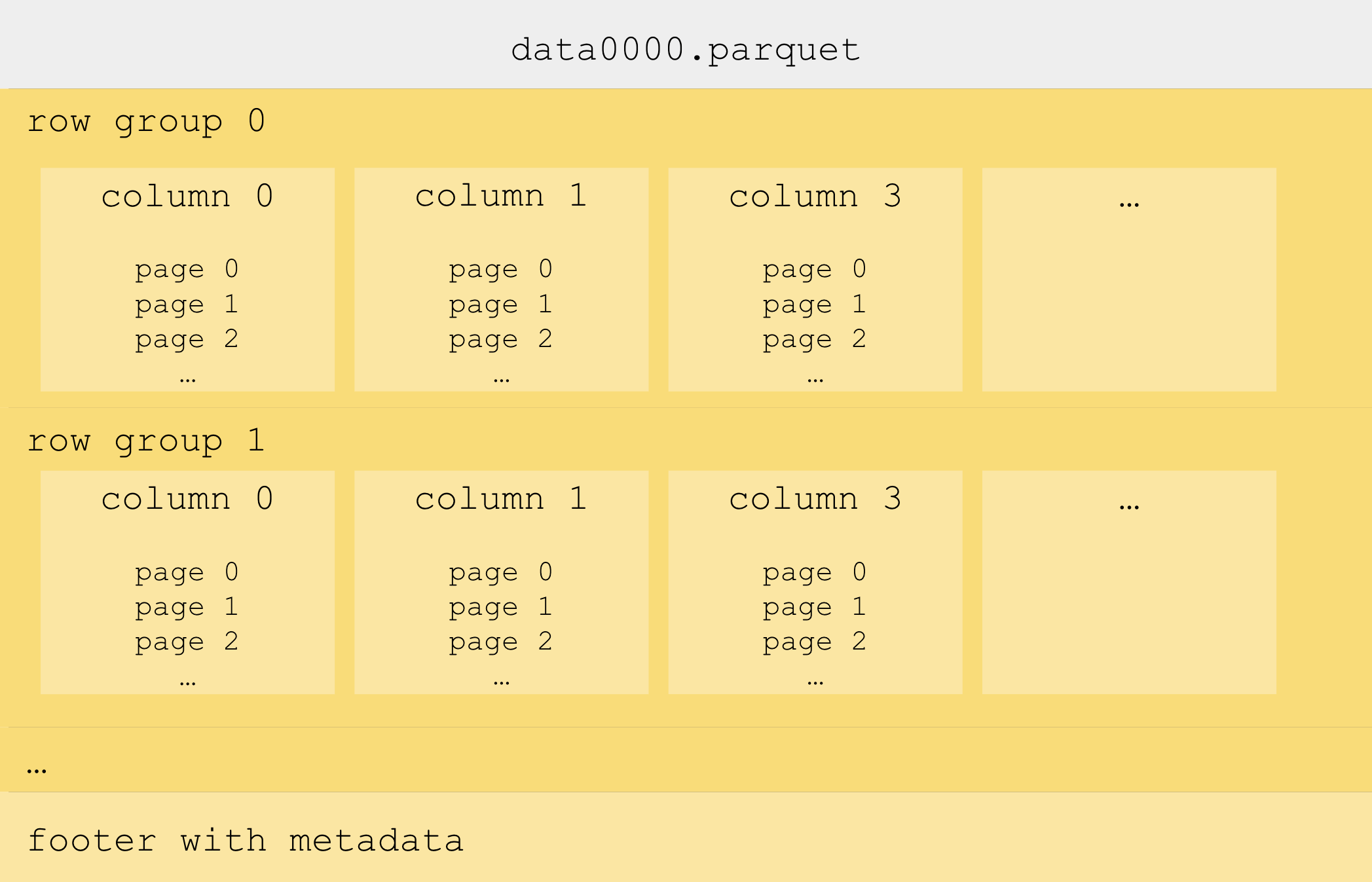
Parquet 파일은 보통 각 100MB 내외의 row group으로 나뉩니다. 이를 통해 데이터 로더와 데이터 처리 프레임워크는 row group을 반복하며 데이터를 점진적으로 스트리밍할 수 있습니다.
row group 안에는 개별 column이 있으며, 이들은 page로 나뉩니다. page는 실제 데이터를 포함하는 약 1MB 크기의 압축된 블록입니다.
Stream Row Groups
Hugging Face의 Parquet 파일에서 PyArrow를 사용하여 row group을 스트리밍합니다:
import pyarrow.parquet as pq

repo_id = "HuggingFaceFW/finewiki"
path_in_repo = "data/enwiki/000_00000.parquet"

# Stream the Parquet file row group per row group
with pq.ParquetFile(f"hf://datasets/{repo_id}/{path_in_repo}") as pf:
    for row_group_idx in range(pf.num_row_groups):
        row_group_table = pf.read_row_group(row_group_idx)
        df = row_group_table.to_pandas()
PyArrow는
hf://경로를 기본적으로 지원하며HfFileSystem를 자동으로 사용합니다
PyArrow 문서에서 더 많은 정보를 찾을 수 있습니다.
효율적인 랜덤 액세스
Row group은 다시 열(column)로 나뉘고, 열은 페이지(page)로 나뉩니다. 페이지는 보통 1MB 정도이며, 압축이 적용되는 위치이므로 Parquet에서 데이터의 최소 단위입니다. 페이지에 접근하면 전체 row group을 로드하지 않고도 특정 row를 로드할 수 있으며, Parquet 파일에 page index가 있는 경우 가능합니다. 그러나 모든 Parquet 프레임워크가 페이지 수준에서 읽기를 지원하지는 않습니다. 예를 들어 PyArrow는 지원하지 않지만, Rust의 parquet crate는 지원합니다:
use std::sync::Arc;
use object_store::path::Path;
use object_store_opendal::OpendalStore;
use opendal::services::Huggingface;
use opendal::Operator;
use parquet::arrow::async_reader::ParquetObjectReader;
use parquet::arrow::ParquetRecordBatchStreamBuilder;
use futures::TryStreamExt;

#[tokio::main]
async fn main() -> Result<(), Box<dyn std::error::Error>> {
    let repo_id = "HuggingFaceFW/finewiki";
    let path_in_repo = Path::from("data/enwiki/000_00000.parquet");
    let offset = 0;
    let limit = 10;

    let builder = Huggingface::default().repo_type("dataset").repo_id(repo_id);
    let operator = Operator::new(builder)?.finish();
    let store = Arc::new(OpendalStore::new(operator));
    let reader = ParquetObjectReader::new(store, path_in_repo.clone());
    let batch_stream =
        ParquetRecordBatchStreamBuilder::new(reader).await?
            .with_offset(offset as usize)
            .with_limit(limit as usize)
            .build()?;
    let results = batch_stream.try_collect::<Vec<_>>().await?;
    println!("Read {} batches", results.len());
    Ok(())
}
Rust에서는 Python의
HfFileSystem과 동등한 OpenDAL의Huggingface서비스를 사용합니다.
PyArrow에서 write_page_index=True를 전달하면 효율적인 랜덤 액세스를 가능하게 하는 페이지 인덱스가 포함됩니다.
이로 인해 Hugging Face의 Parquet 메타데이터 뷰어에서 확인할 수 있는 Parquet 컬럼에 “offset_index_offset”와 “offset_index_length”가 추가됩니다.
페이지 인덱스는 Hugging Face Dataset Viewer의 속도도 높여주며, 행 그룹 크기 제한 없이 데이터를 표시할 수 있게 합니다.