

llava-v1.5-7b-gpt4OCR
Collection
Collection of checkpoints for llava-v1.5-7b fine-tuned for OCR tasks. • 5 items • Updated
Finetuned version of liuhaotian/llava-v1.5-7b on ocr and object detection data using LoRA (adapter config at bottom) to improve OCR captioning abilities and bounding box generation.
The two datasets used for fine tuning are:
We use 10k samples from GRIT where each sample has an image-caption CLIP similarity larger than 0.35 and where the caption does not contain any proper nouns (filtered using spaCy).
Use the code below to get started with the model:
import requests
from PIL import Image

import torch
from transformers import AutoProcessor, LlavaForConditionalGeneration, BitsAndBytesConfig

model_id = "nnethercott/llava-v1.5-7b-gpt4OCR-hfssssssssssssssssssssssssssssssss"

prompt = "USER:<image>/ngenerate a descriptive caption for this image. ASSISTANT:"
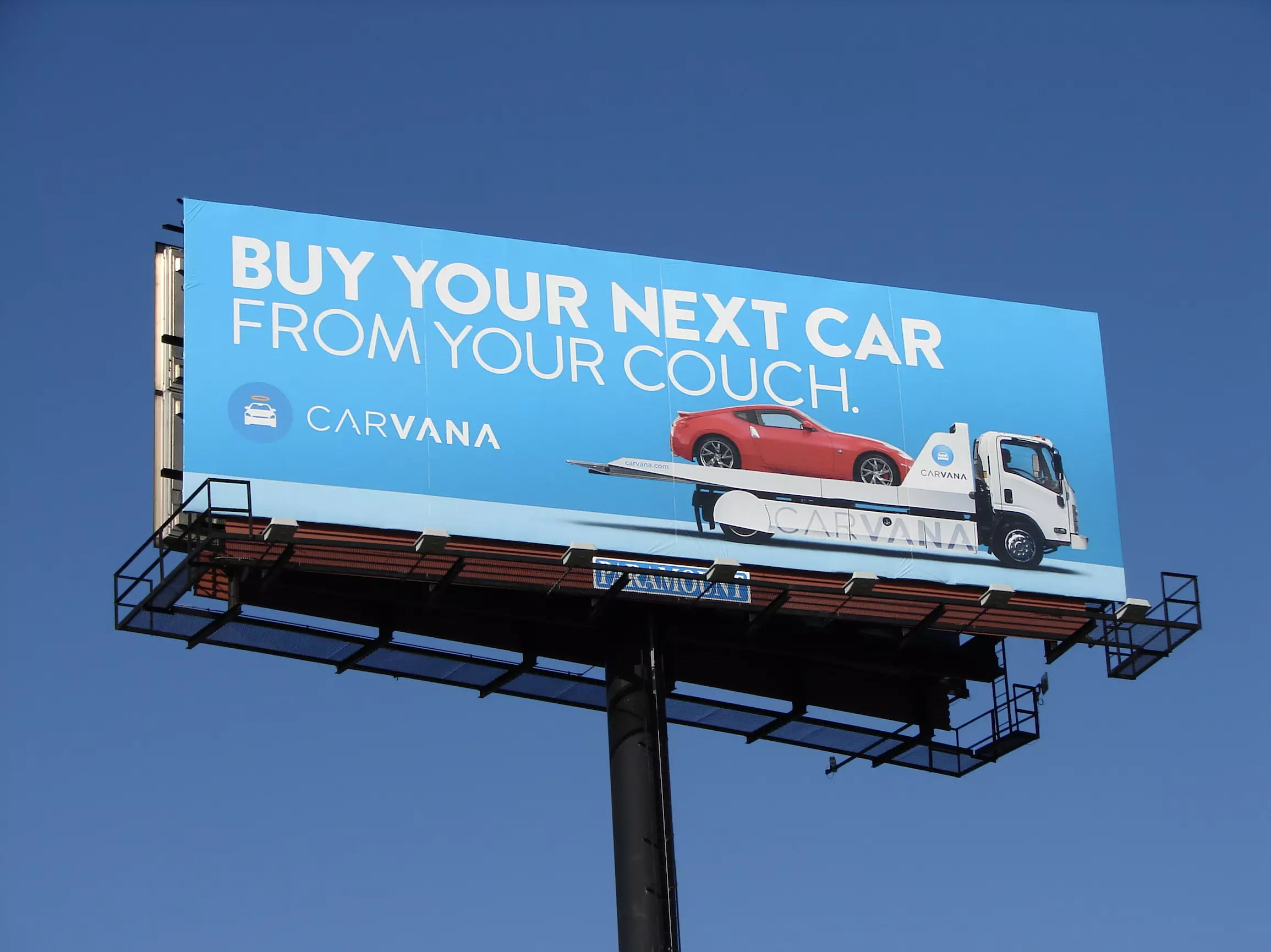
image_file = "https://adquick-public.imgix.net/landing+images/media_formats/billboard-carvana.png?auto=format"


quantization_config = BitsAndBytesConfig(
    load_in_4bit=True,
    bnb_4bit_compute_dtype=torch.float16,
    bnb_4bit_quant_type="nf4",
    bnb_4bit_use_double_quant=False
)

model = LlavaForConditionalGeneration.from_pretrained(
    model_id,
    quantization_config = quantization_config,
    torch_dtype=torch.float16,
    low_cpu_mem_usage=True,
)

processor = AutoProcessor.from_pretrained(model_id)


raw_image = Image.open(requests.get(image_file, stream=True).raw)
inputs = processor(prompt, raw_image, return_tensors='pt').to(0, torch.float16)

generation_kwargs = {
  'max_new_tokens': 150,
  'num_beams': 3,
  'num_return_sequences': 1,
  'do_sample': False
}

output = model.generate(**inputs, **generation_kwargs)
print(processor.decode(output[0][len(processor.tokenizer.encode(prompt)):], skip_special_tokens=True))
Output before fine-tuning for for base llava-hf/llava-1.5-7b-hf:
A large billboard advertises a red sports car being transported by a tow truck.
Output after fine-tuning for nnethercott/llava-v1.5-7b-gpt4OCR-hf:
The image features a billboard advertisement for Carvana, showcasing a red sports car being transported on a flatbed truck, with the slogan "BUY YOUR NEXT CAR FROM YOUR COUCH" prominently displayed at the top. The Carvana logo is prominently featured in the center of the billboard, and the word "Carvana" is repeated at the bottom. The billboard is set against a clear blue sky.
{
  "auto_mapping": null,
  "base_model_name_or_path": "liuhaotian/llava-v1.5-7b",
  "bias": "none",
  "fan_in_fan_out": false,
  "inference_mode": true,
  "init_lora_weights": true,
  "layers_pattern": null,
  "layers_to_transform": null,
  "lora_alpha": 128,
  "lora_dropout": 0.05,
  "modules_to_save": null,
  "peft_type": "LORA",
  "r": 48,
  "revision": null,
  "target_modules": [
    "down_proj",
    "q_proj",
    "v_proj",
    "o_proj",
    "k_proj",
    "up_proj",
    "gate_proj"
  ],
  "task_type": "CAUSAL_LM"
}